
No Credit Card Required Setup Takes Minutes Works With Any WordPress Host
Stop WordPress hacks before they become downtime or lost clients.
One hacked plugin and it's over — the site's down, Google's flagged it, and the client wants answers.
LeadX Security uses AI to watch your site day and night, and gives you one number that proves it's protected.
No Credit Card Free Forever
- 22 Protection Features
- AI-Powered Threat Scanning
- Live In Minutes
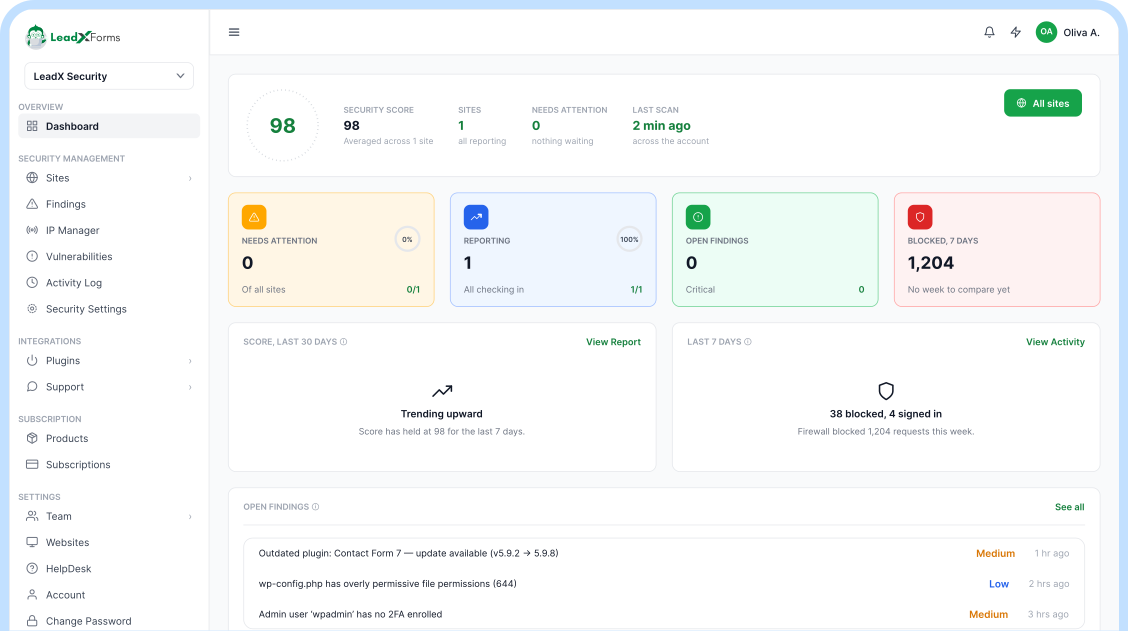
43%
of the entire web
runs on WordPress
That also makes it the most targeted CMS on the internet.
Automated scanners probe WordPress sites for weaknesses around the clock — whether anyone's watching or not.
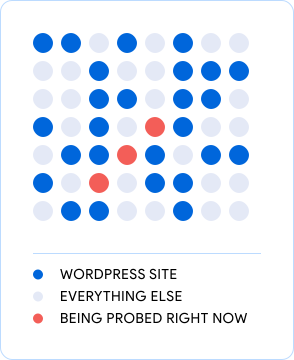
Secured with LeadX's 5-Layer Security Engine
One system, five layers, working together on every request to your site. Select a layer to see exactly what it catches and which plan includes it.
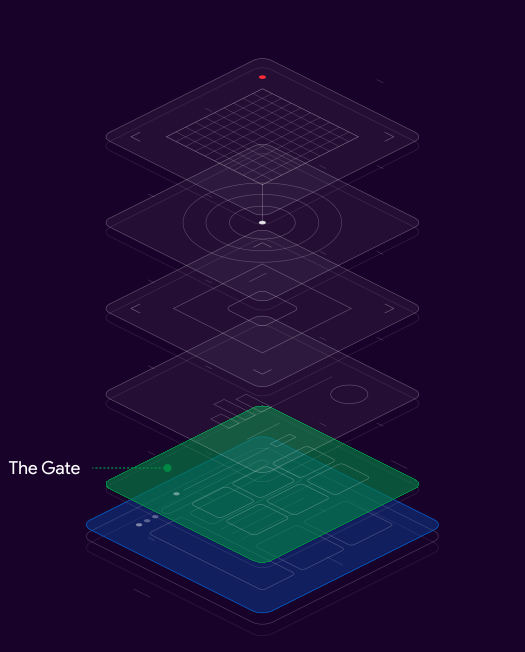
01: Prevent
The Gate
The web application firewall, hardening rules, and geo-blocking stop bad requests before WordPress ever loads them.
- SQL injection and XSS attempts in requests
- Brute-force login floods, per IP
- Traffic from countries you have blocked
Your WordPress site
The base plate, the live site LeadX protects.
Every layer above shields it.
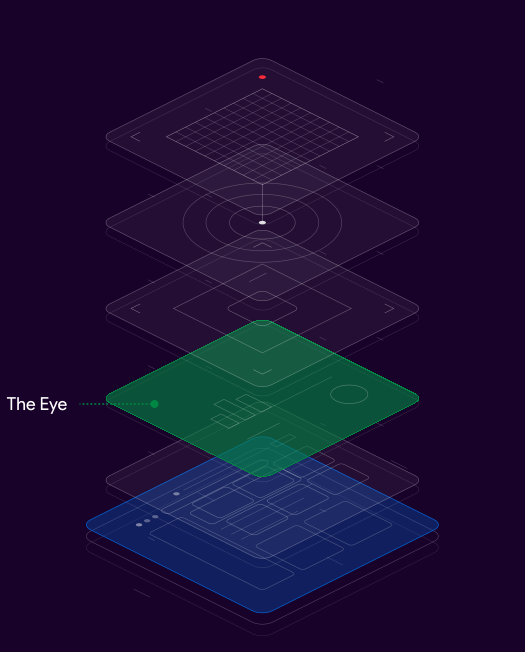
02: Detect
The Eye
Malware scanning across every file and database table, plus a live traffic viewer, so nothing runs on your site unseen.
- Known and emerging malware signatures
- Injected code in plugin and theme files
- Suspicious rows in the WordPress database
Your WordPress site
The base plate, the live site LeadX protects.
Every layer above shields it.
03: Respond
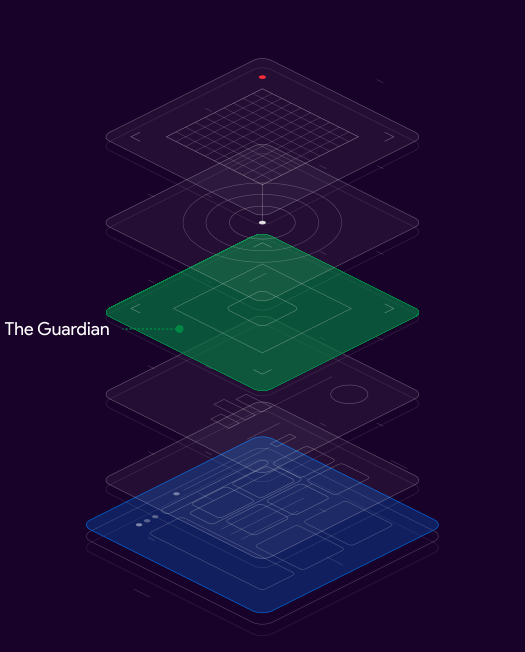
The Guardian
Auto-quarantine, incident response, and AI Code Guardian handle it the moment something is found, no manual clean-up.
- Infected files, isolated on detection
- Dangerous functions in code changes
- Live incidents, with a logged response
Your WordPress site
The base plate, the live site LeadX protects.
Every layer above shields it.
04: Prevent
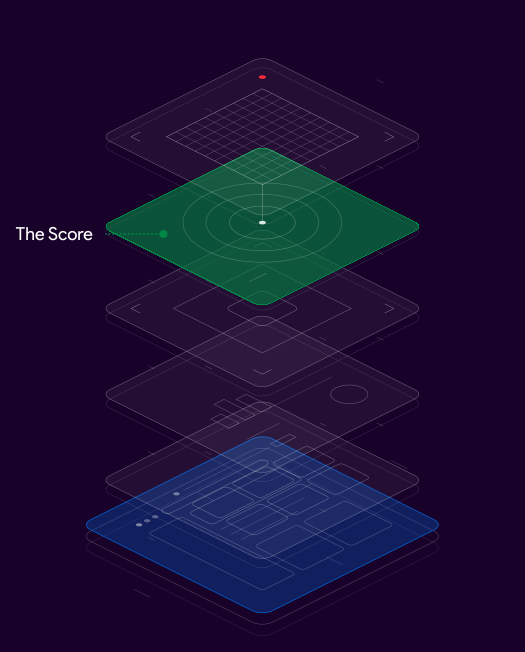
The Score
Firewall logs and scan results collapse into one 0–100 number you can screenshot and send straight to a client.
- Score drops after every blocked attack
- Open hardening gaps, ranked by risk
- Plain-English reasons behind each flag
Your WordPress site
The base plate, the live site LeadX protects.
Every layer above shields it.
05: Prevent
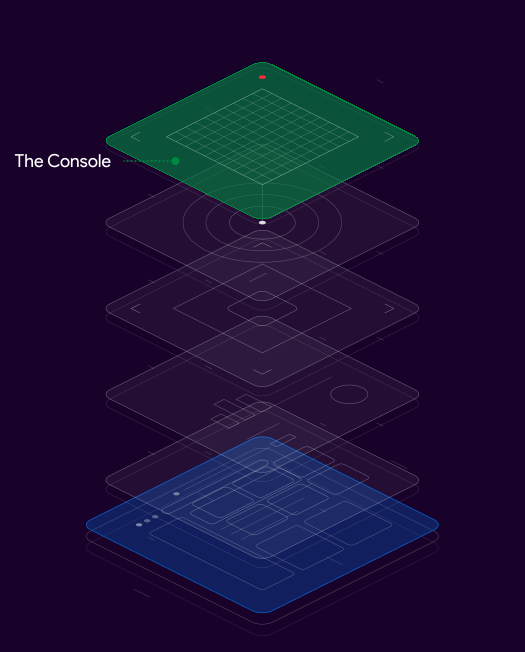
The Console
One dashboard, white-label reports, and team access across every site you manage, your brand, not ours.
- Every managed site in one view
- Exportable client-ready reports
- Role-based access for your team
Your WordPress site
The base plate, the live site LeadX protects.
Every layer above shields it.



22 features. Here's exactly what six of them do.
Every feature on the plan works the same way: what it catches, how it works, and why it's safe to turn on.
01. Web Application Firewall
What
Blocks malicious requests before they ever reach WordPress.
How
Rules update automatically against known attack signatures, in real time.
Why it's safe
Legitimate visitors pass through untouched, only attack patterns get stopped.
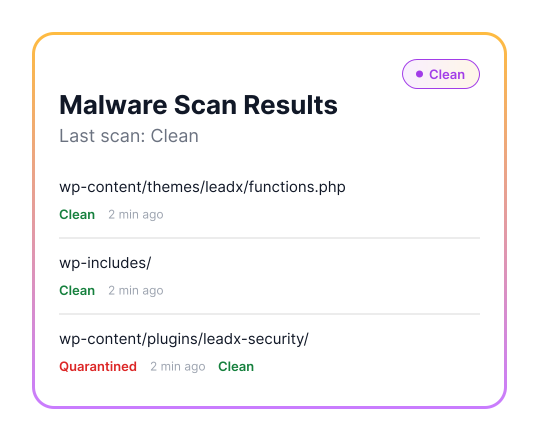
02. Malware Scanner
What
Scans every file and database table for known and emerging malware.
How
Runs a daily automated scan, plus on-demand deep scans any time.
Why it's safe
Read-only scanning, nothing on your site changes until you approve a fix.
03. Login Protection & 2FA
What
Rate-limits login attempts and enforces two-factor authentication.
How
Brute-force patterns are detected and blocked automatically, per IP.
Why it's safe
Your real logins are never slowed down, only attackers are.
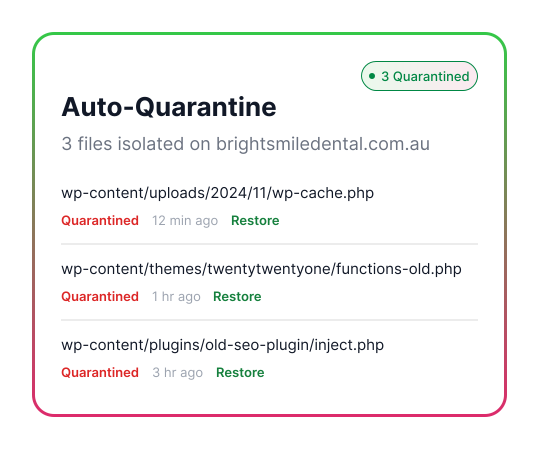
04. Auto-Quarantine
What
Isolates an infected file the instant malware is detected.
How
Moves the file out of the live site instantly, keeping a copy for review.
Why it's safe
Nothing is deleted — you can always restore exactly what was found.
05. Threat Scoring
What
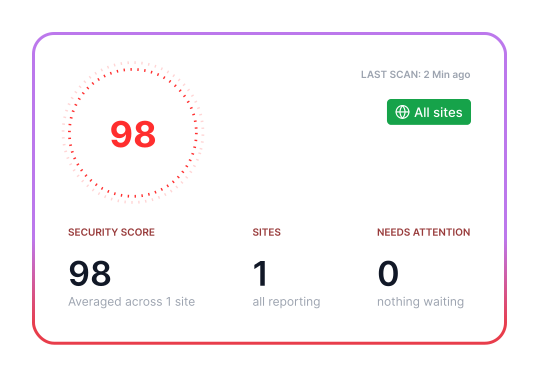
Turns firewall logs and scan results into one number from 0–100.
How
Recalculated after every scan and every blocked attack, automatically.
Why it's safe
It is a read-only summary — checking it does nothing to your site.
06. Hardening Rules
What
Closes the default WordPress settings attackers rely on most.
How
One-click rules disable file editing, XML-RPC, and directory listing.
Why it's safe
Every rule can be switched off individually if a plugin needs it.
AI that reviews your code before attackers can exploit it.
Every plugin update and custom code change is scanned for injected malware and dangerous functions before it goes live on your site, catching what a signature-based scanner alone would miss.
- Trained on real WordPress malware, not generic code patterns.
- Flags and explains, it never deletes code without you approving it.
- Every flag comes with a plain-English reason, not just a risk score.
add_action( 'init', 'lx_register_hooks' );
function lx_register_hooks() {
eval( $_REQUEST [ 'payload'] );
AI flagged: remote code execution risk
}

One dashboard for everything happening on your site.
Firewall activity, scan results, and login attempts, in one place, in plain English.
Your Site
Site Overview
Threat score 98 · no open incidents
All systems normal
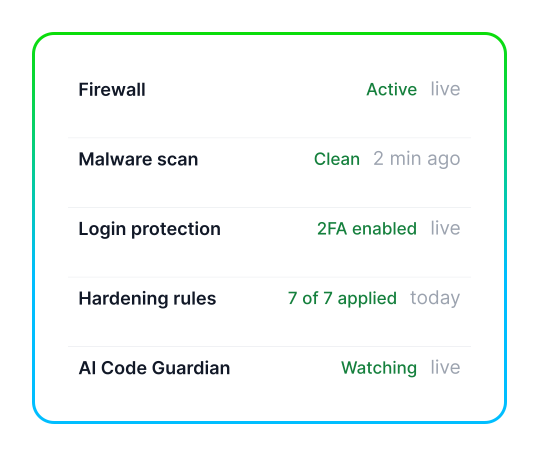
- Firewall Active live
- Malware scan Clean 2 min ago
- Login protection 2FA enabled live
- Hardening rules 7 of 7 applied today
- AI Code Guardian Watching live
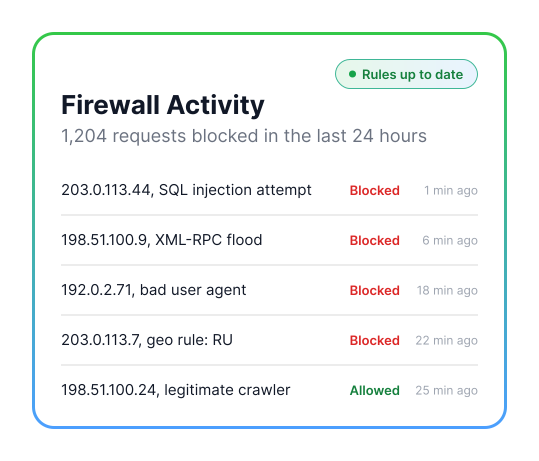
Firewall Activity
1,204 requests blocked in the last 24 hours
Rules up to date
- 203.0.113.44 — SQL injection attempt Blocked 1 min ago
- 198.51.100.9 — XML-RPC flood Blocked 6 min ago
- 192.0.2.71 — bad user agent Blocked 18 min ago
- 203.0.113.7 — geo rule: RU Blocked 22 min ago
- 198.51.100.24 — legitimate crawler Allowed 25 min ago
Malware Scan Results
Last scan: Clean
Clean
- wp-content/themes/leadx/functions.php Clean 2 min ago
- wp-content/plugins/contact-form-7/ Clean 2 min ago
- wp-content/uploads/2024/03/invoice.php Reviewed — false positive 2 min ago
- wp-includes/ Clean 2 min ago
- wp-content/plugins/leadx-security/ Clean 2 min ago
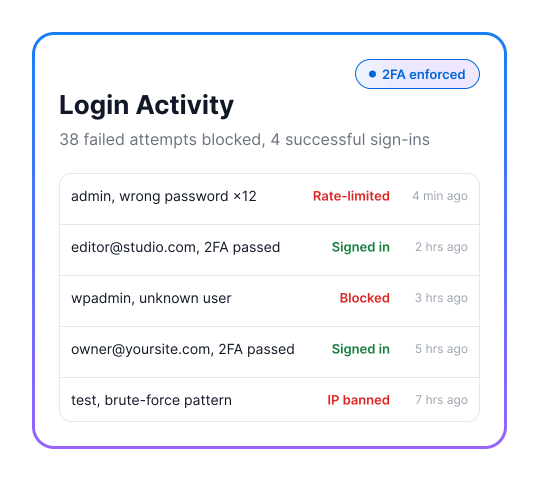
Login Activity
38 failed attempts blocked. 4 successful sign-ins
2FA enforced
- admin — wrong password ×12 Rate-limited 4 min ago
- editor@studio.com — 2FA passed Signed in 2 hrs ago
- wpadmin — unknown user Blocked 3 hrs ago
- owner@yoursite.com — 2FA passed Signed in 5 hrs ago
- test — brute-force pattern IP banned 7 hrs ago
Reports & Exports
White-label PDF and CSV, ready to send
Elite plan
- September security summary.pdf Ready today
- Firewall log export.csv Ready today
- August security summary.pdf Sent to client 1 Sep
- Threat score history.csv Ready today
- Hardening audit.pdf Ready today
Live Threat Intelligence
See where attacks come from. Shut the door on any country in a click.
Geo Blocking
World map. Canada and Australia are shaded as customer regions; Turkey, the Democratic Republic of the Congo and Japan are shaded as blocked. Points mark 2.4k customers in North America, Australia 1k customers, two blocked countries, one country being counted in eastern Russia, and further customers in Greenland, the United Kingdom, western Europe and Brazil.
- 2.4k customers2.4k
- Blocked
- Counting
- Blocked
- Australia 1k customers1k
What
Every blocked request against a LeadX-protected site is logged and mapped, anonymized and aggregated in real time.
How
Block traffic from entire countries in one click. Blocked visitors never reach your server, zero added latency for everyone else.
Why it's safe
Unblock a country and traffic resumes immediately. Nothing on your site was ever changed, geo-blocking only decides who gets to knock.

Pick The LeadX Plan That Matches How You Protect And How You Bill.
Our plans are managed on the LeadX platform.
Yearly Deal
Prefer one bill a year instead of twelve?
Get full LeadX Security protection, firewall, malware scanning, and threat scoring, for one flat annual price. No tier to pick, no monthly renewal to think about.
Managed on the LeadX platform, see full plan pricing at leadxforms.com/pricing.
Fewer Plugins. Fewer Dashboards. One Number You Can Trust.
-
One dashboard,
not five pluginsFirewall, scanner, login protection, and hardening in one place instead of stitching together separate tools that don't talk to each other.
-
AI that
explains itselfEvery AI flag comes with a plain-English reason, not just a risk score you have to trust blindly.
-
One number
for your clientThe threat score turns technical logs into something you can screenshot and send, no translation needed.
-
Built on the
LeadX platformThe same team and infrastructure behind LeadXForms — not a side project bolted onto WordPress.
Questions Site
Owners Actually Ask.
Will an AI reviewing my code ever change or delete anything automatically?
No. AI Code Guardian only flags and explains — it never edits, deletes, or blocks code on its own. You always decide whether to act on a flag, and every decision is logged.
Can LeadXForms capture leads from visitors who never fill in a form?
Yes — LeadX Agent and LeadX HeatMap both capture signals from visitors who never reach a form. Ask us which fits your site.
What happens if the firewall blocks a legitimate visitor?
Legitimate visitors pass through untouched — only attack patterns are stopped. Every blocked request is logged with its reason, and unblocking one takes effect immediately.
Can I switch plans later without losing my scan history?
Yes. Your scans, threat score and logs stay with the site, not the plan, so moving between Basic, Premium and Elite keeps all of it.
Does LeadX Security slow down my site?
No. Blocked visitors never reach your server, and everyone else sees zero added latency. Scanning is read-only and runs without touching the live site.
Protect your next WordPress site before the next attack lands.
Install LeadX Security, pick Basic, Premium, or Elite, and show a clearer, safer WordPress experience with a threat score you can stand behind.